Features
Everything ForgeVault does for your library
ForgeVault is a media server that runs on your own computer. It sorts your files, finds the artwork, plays everything in full quality on every screen you own, and shares it with the people you choose. Here's the whole list, in plain words.
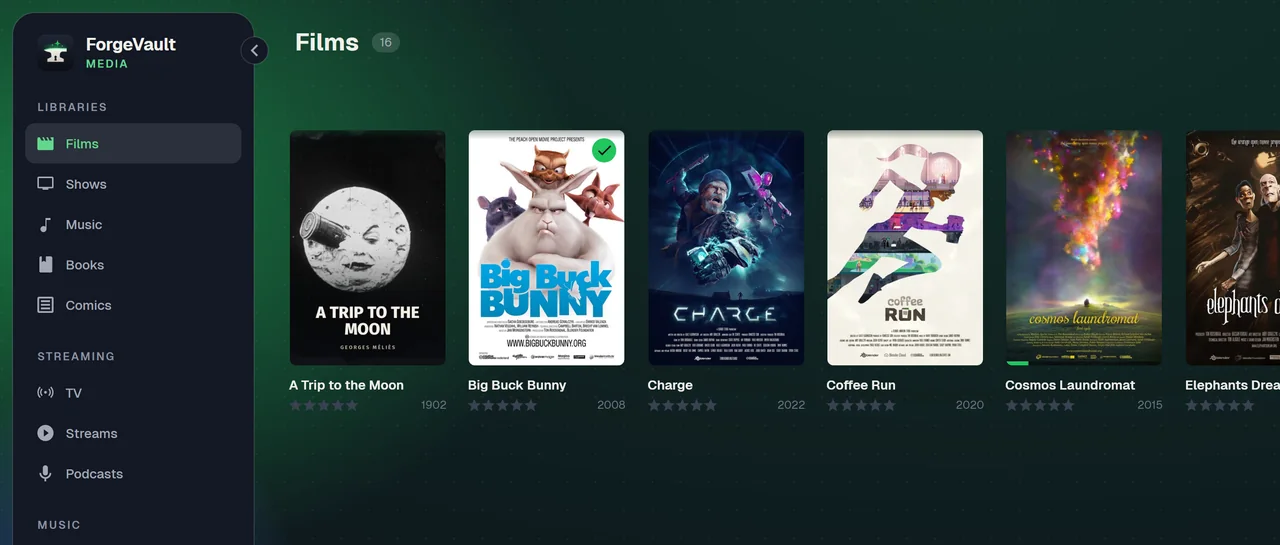
A library that sorts itself
Point ForgeVault at a folder, a second drive or a NAS share. It recognises films, TV episodes, anime, albums, books and comics from their names and tags, groups episodes into seasons and shows, and adds posters, backdrops, cast and synopses. Your files stay exactly where and how they are.
- Looked up once. Each file is matched once and the result is kept, so rescanning a big library is quick.
- Fix a match. Search for the right title from a card, apply it and lock it so it stays.
- Moved files are found. Move your media to a new drive and ForgeVault keeps your history instead of starting over.
- Folder health. See which folders are readable, how many items each holds and when it was last scanned.
Playback in full quality
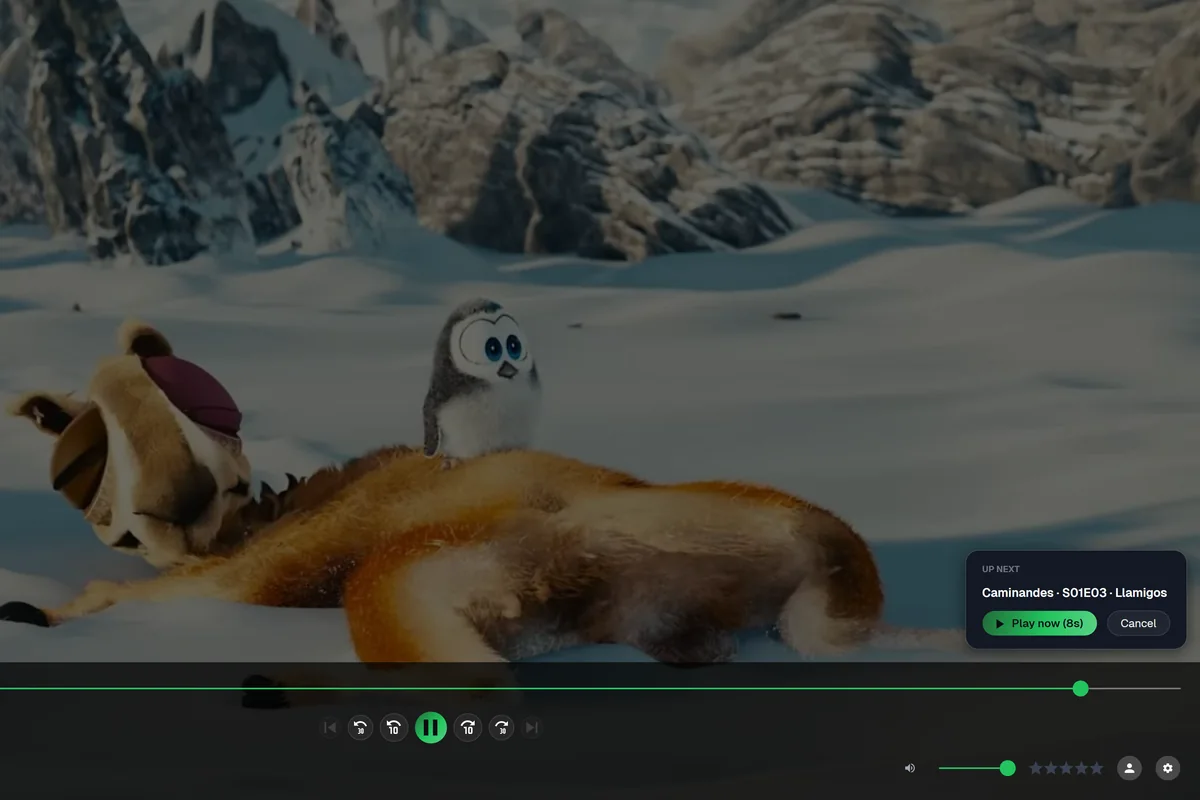
ForgeVault plays files as they are whenever the device can, with the picture, subtitles and surround sound they came with. It only converts a file when a device can't play it, and it can use your graphics card to do that: NVIDIA NVENC, Intel Quick Sync, VAAPI on Linux or VideoToolbox on a Mac.
- Skip intro, skip credits. Openings and credits are found per episode, even in files with no chapters. The markers are saved, and you can set them by hand.
- Up next. The next episode counts down near the end of the last one, and a show resumes at the first episode you haven't seen.
- Subtitles that behave. Tracks inside MKV files, and SRT, VTT, ASS, SSA and SUB files, in the size and look you choose, or found online from the player.
- Sound that suits the room. Pick an audio track, use the equaliser, or even out loud and quiet scenes.
- Seek previews. Thumbnails appear as you scrub, so you can find a scene by sight.
Music, books, comics and manga too
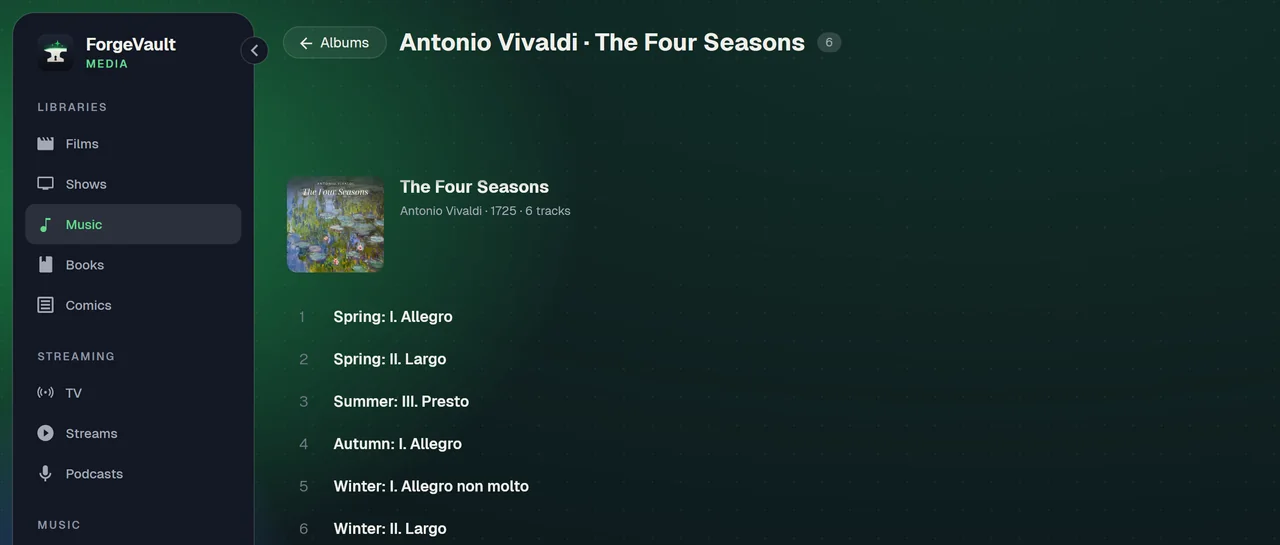
Albums, ebooks and comics live beside your films, in the same apps. Music reads your own tags and adds the cover art, with artist pages split into albums, singles and appearances.
- Music that keeps up. A daily mix from your own library, liked songs, playlists, shuffle and repeat, an equaliser with profiles, and lock-screen controls on Android.
- Readers built in. EPUB and PDF books and CBZ, CBR, CB7 and CBT comics, page by page or as one long scroll, reopened where you stopped.
- Release calendar. See when the next episodes of the shows and anime in your library come out.
On every screen you own
The server runs on Windows, macOS or Linux. You watch on the desktop apps, on Android phones and tablets, and on Android TV, and guests watch in their browser. Wherever you stop, the next screen picks up from the same second.
Finds your server
The apps spot ForgeVault on your home network, so there's no address to type. Signed in once, they remember you.
Cast between apps
Send what you're watching to another screen and control it from the one in your hand.
Offline downloads
Download films, episodes, seasons, albums, playlists and books. A broken download carries on by itself.
Made for a whole household
Create an account for everyone at home, at no extra cost. Each person has their own watch history, progress, ratings and likes, and their own profile picture on the sign-in screen. Put people in groups and choose which libraries each group can see, so the children's profiles only show what you've shared with them.
Share a film, not your password
Make a private link to a film, a show or an album. It plays in the other person's browser with no account and no app, and nothing to change on your router. Links last an hour, a day or a week, you can see when they're being watched, and Stop ends one at once. Watch parties keep play, pause and seeking in sync for everyone in them.
It runs at home, not in our cloud
Your library, accounts and history stay on your own disk. There are no ads and no tracking, and you don't need an account with us to watch. Everything plays over your home network with the internet unplugged. The internet is only used to look up details for new files, for subtitle searches you start, and for share links while one is live.
Plugins, and a builder for your own
Plugins add sources and whole new sections to every app. Install them from the plugin store in Settings, where every plugin is checked and signed before your server accepts it. The plugin builder comes with every licence, for anyone who wants to make their own.